Skip to content

Editor settings

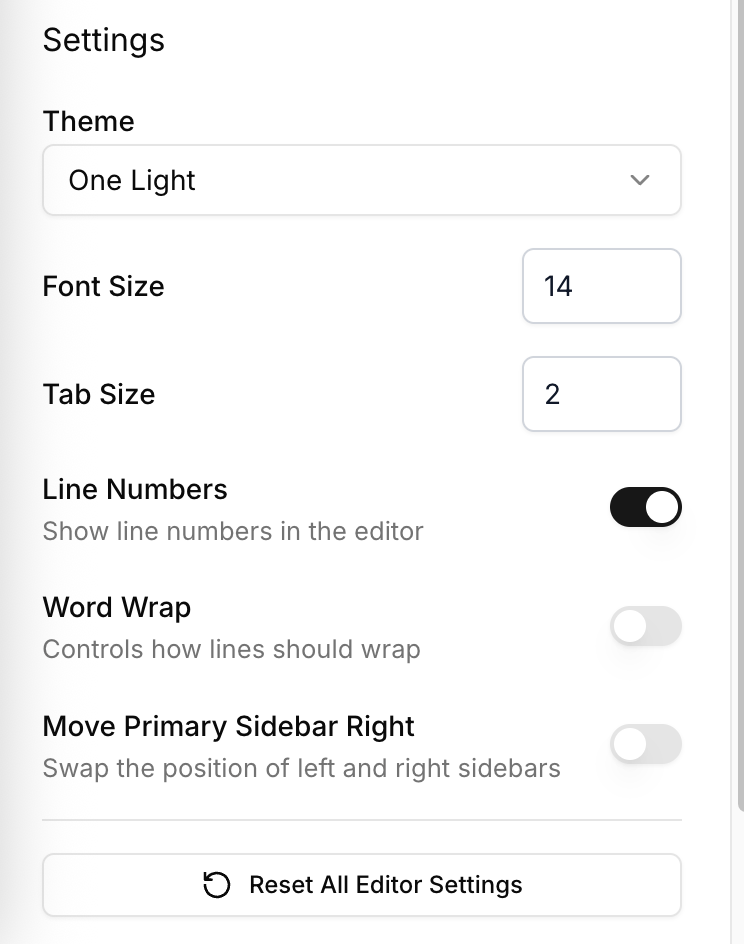
Editor Settings Drawer

Adjust the editor to suit your workflow from the settings drawer. Changes apply immediately and persist across sessions.

Appearance

  • Pick between light and dark themes.
  • Set the editor font size.
  • Switch word wrap and line numbers depending on the file you are editing.

Editing preferences

  • Select the tab size that matches your coding standards.
  • Confirm the status line mode (Lean or Markdown) to stay aware of the current context.

Combine these settings with the Keyboard Shortcuts to keep navigation efficient.